Reading a quote
Last updated: September 8, 2026
Answers: Where do I see premium, limit, retention, subjectivities? What's worth double-checking before a client sees the quote? How do I get the carrier's actual documents?
The anatomy of a quote
Select a quote on a submission and its details open in the Coverage Details tab: premium, limit, retention, effective date, and the coverage terms the carrier returned. Quotes from every source appear here — digital quotes from your panel and offline quotes you uploaded.
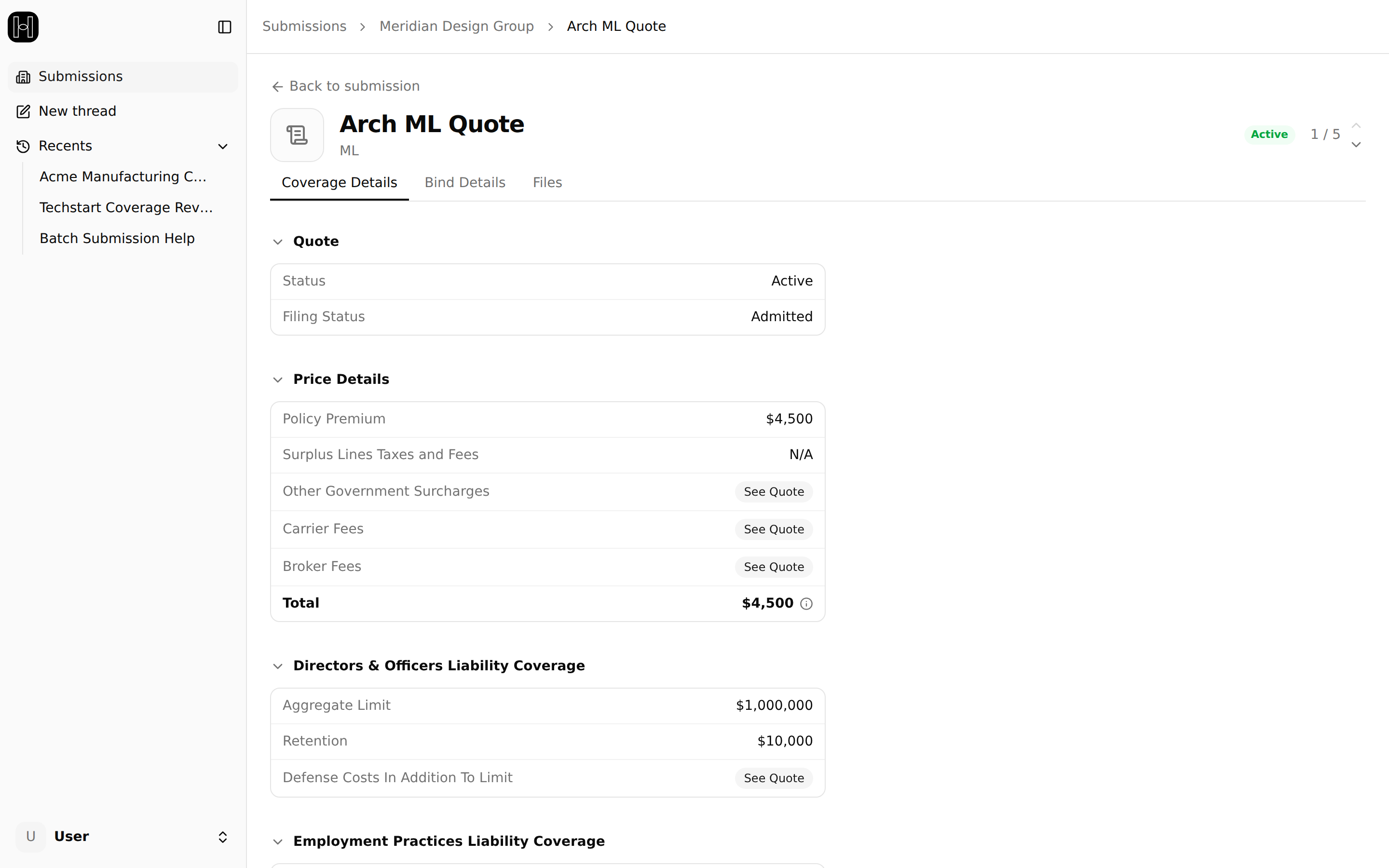
The quote is ready to use as it lands. Before it goes into a comparison or in front of a client, though, a few things are worth a look:
The limit and retention actually offered. Carriers may quote at the nearest value they offer rather than exactly what you requested.
Any value marked with a sparkle icon. Sparkled values were extracted from the carrier's documents rather than returned digitally, and the icon means review me, not verified — a quick scan catches an extraction miss before a client sees the number.
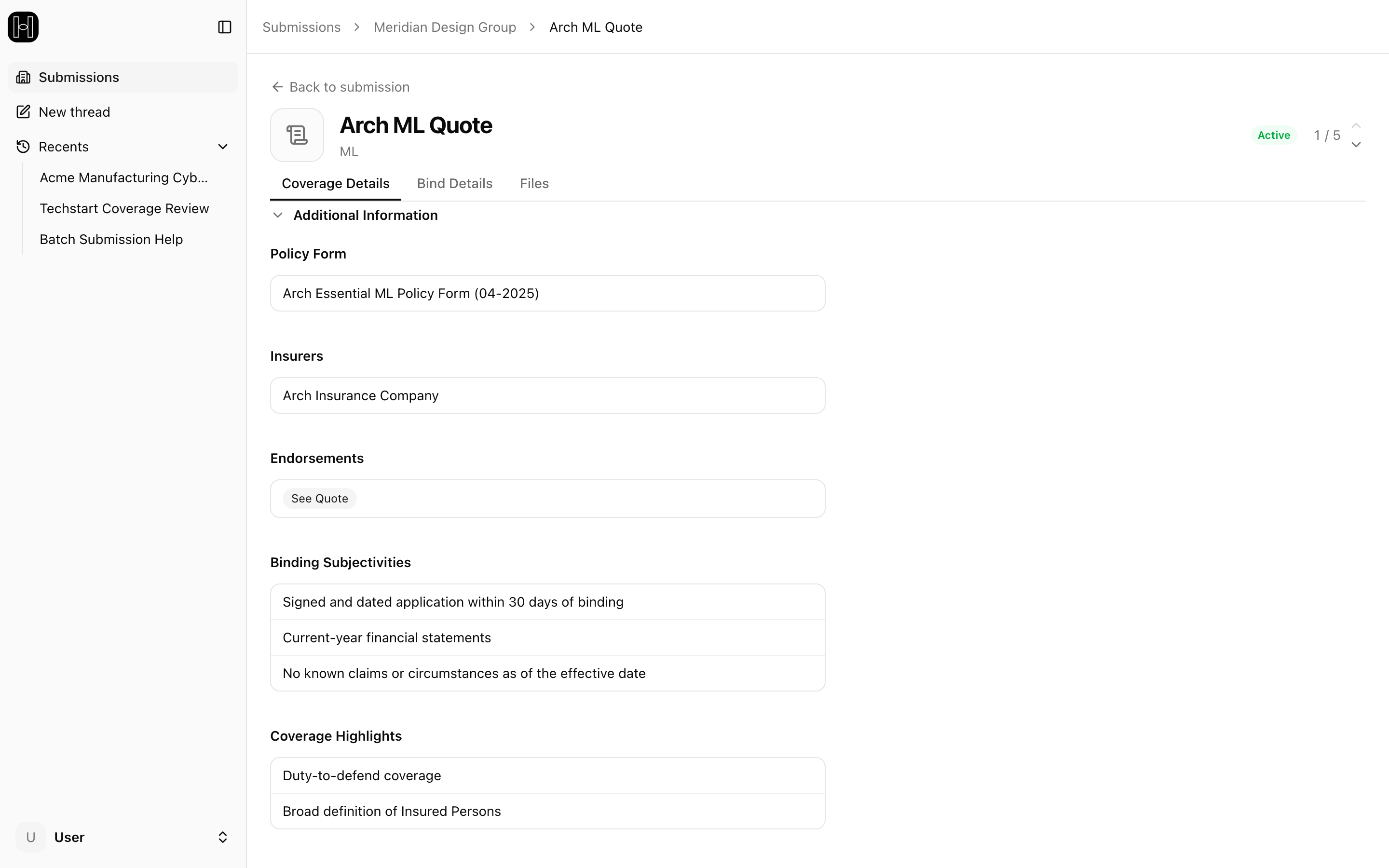
The endorsements. They're where a carrier modifies its standard terms, so two quotes with the same premium can differ meaningfully here. Endorsements are listed under Additional Information; where the platform shows See Quote, the detail lives in the quote letter itself (how to get it is covered below).
Admitted vs. surplus. Affects taxes, fees, and filings — shown as the quote's Filing Status.
The subjectivities. The conditions the carrier requires before it will bind (a signed application, current financials, proof of a security control, etc.), listed under Binding Subjectivities on the Coverage Details tab. They're part of the real price of a quote, and some take lead time to gather — knowing them early keeps the client conversation ahead of the deadline.
Getting the carrier's actual documents
The structured quote view is a summary. For the carrier's own language, open the quote and go to its Files tab: everything the carrier returned is there to download. Every carrier returns a quote letter; the other document types — specimen policy forms, endorsement schedules — vary by carrier. If a document you need isn't there, the carrier's portal usually has it, or ask the underwriter.